
For Plex
Live TV channels from your Plex library.
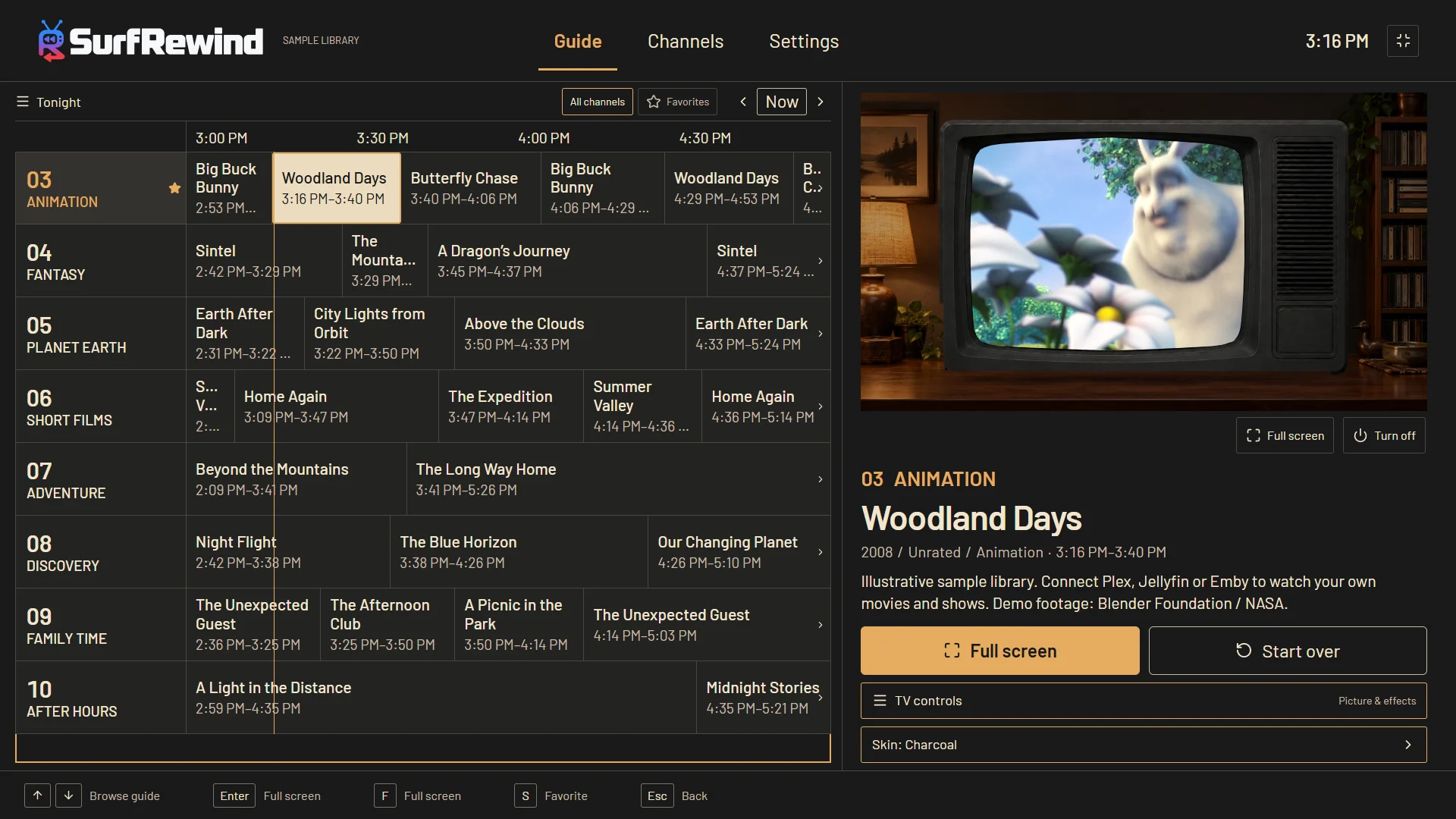
Your Plex server already has the movies and shows. SurfRewind turns them into television: channels that are always on, a guide that tells you what is airing, and a remote that flips between them. You join in progress, like you used to.
Why channels instead of a library
A library asks you to choose. Television just starts. Most nights the hardest part of watching something you already own is deciding — scrolling posters until it is too late to start a movie. A channel removes the decision: something good is already on, and if it isn’t, the next channel is one press away. SurfRewind keeps the thing you lose with a library grid: surprise.
Channels that make sense of your Plex metadata
SurfRewind reads the titles, genres, years, ratings, episode numbers and collections Plex already keeps. From those it builds channels by itself — the ones your library can actually sustain, and you keep the ones you like: a channel for each of your biggest shows, every collection with a day of material, decade and genre mixes like 80s HORROR or Y2K COMEDY, and stations for audiences and runtimes. A channel built from one show runs its episodes in order; sitcoms air two at a time; a film is followed by its sequel when your collection has one.
It also programs the day. PRIME TIME turns into a movie block at 8 pm. AFTER HOURS gets darker after 11. SATURDAY MORNING runs family-rated cartoons on weekend mornings. Pick any series on the guide and start a three-hour marathon from the next program. Everything the guide can do.
Linked in a minute
Open SurfRewind, choose Plex, and enter the code at plex.tv/link — or scan it with your phone. Pick a server and libraries. That is the whole setup. Your Plex password never touches SurfRewind, and nothing about your library is uploaded to us. Plex setup details.
Old TV, if you want it
Watch clean and full screen, or put the picture in a CRT cabinet with scanlines, a little snow and a living room around it. Four classic cabinets are free; channel changes come with a burst of static and an info banner either way.
Questions
Does this need Plex Pass or a DVR tuner?
No. SurfRewind links to Plex like any other client app and plays from your server. It does not use Plex Live TV, a tuner or the Plex DVR.
Do I need to run another server?
No. The schedule is built on the TV or the PC itself from your Plex library’s metadata. There is no extra service to install next to Plex.
Can I watch shows in episode order?
Yes. Any channel can shuffle, play a series in season and episode order, or run by release year. A channel built from one show plays in order by default.
Does it work with shared Plex libraries?
Yes, with the permissions the server owner gave your account, as long as the server is online while you watch.
What does it cost?
Watching, the guide and every channel feature are free. Optional cosmetic themes are one-time purchases.