
For Jellyfin
Your Jellyfin library, on the air.
You run Jellyfin because you like owning things. SurfRewind adds the part a media server never had: something already on when you sit down.
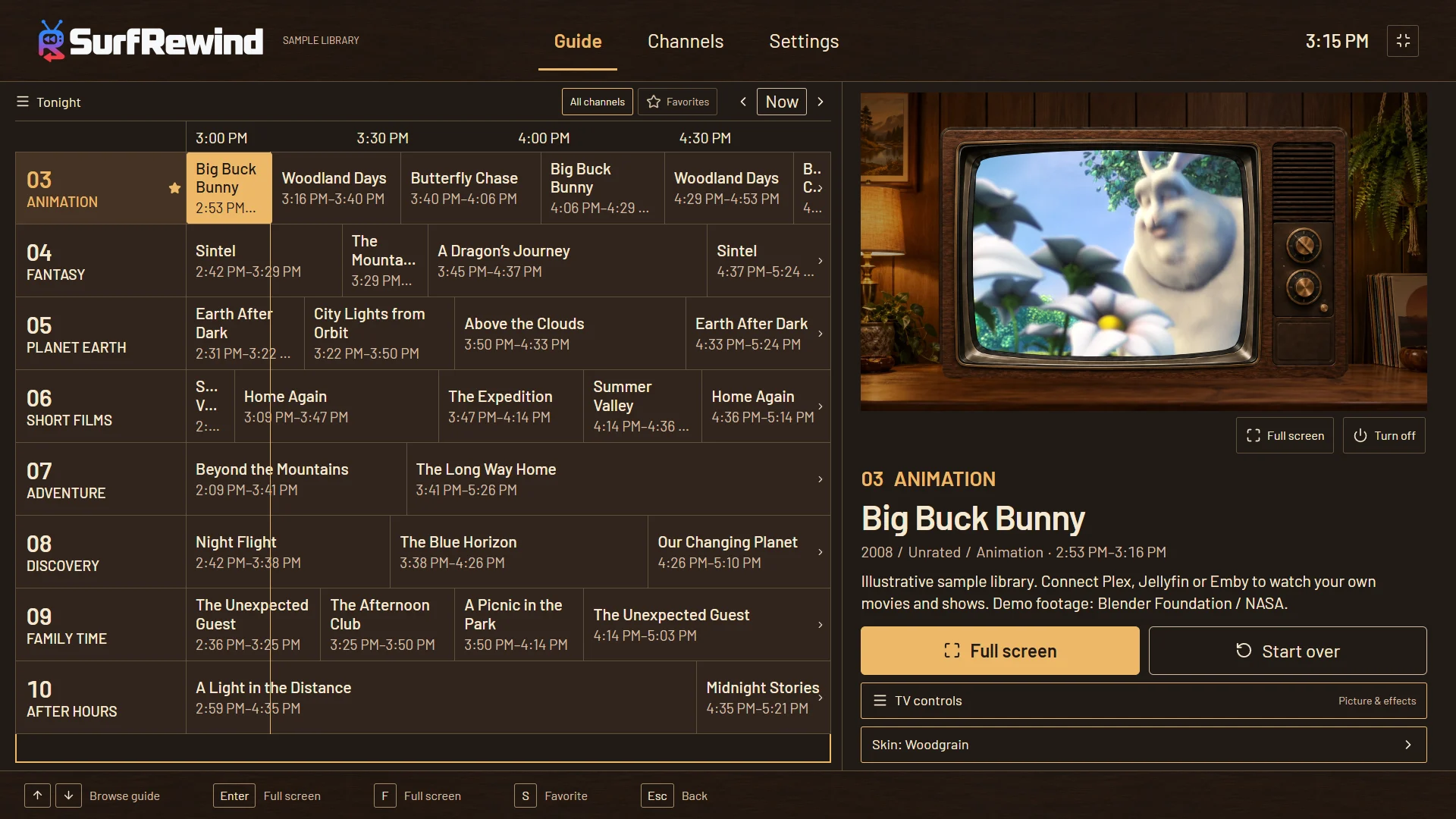
No server-side setup
Other ways to get channels out of Jellyfin usually mean running another service next to it, generating an M3U and XMLTV guide, and wiring both into Live TV. SurfRewind skips all of that. Enter your server address and account in the app, pick libraries, and the schedule is built on the device from Jellyfin’s own metadata. Nothing to host, nothing to keep in sync.
What you get
- Channels built automatically from what your library can sustain — your biggest shows, genre mixes, decades, audiences — and you keep the kinds you like.
- Shows in season and episode order, sitcoms in pairs, or a classic shuffle — per channel.
- Dayparts: a movie block at 8, darker programming after 11, cartoons on weekend mornings.
- Marathons, Surprise me, number-key tuning, an info banner on every channel change, and an up-next card before the next program.
- A parental PIN that hides or locks channels whose pool is mostly R or TV-MA.
How the schedule works
Every channel runs on the clock. When you tune in at 8:17, you join whatever started at 8:00, seventeen minutes in — exactly like broadcast television. The schedule is built from the pool of titles each channel matches and stays the same however often you open the guide, so the 9 pm movie is still the 9 pm movie when you come back. Shuffle lineup re-rolls what is coming up on channels you are not watching; the program on screen and its commercial break are never interrupted.
Good Jellyfin metadata makes good channels
SurfRewind reads what Jellyfin already knows: genres, production years, official ratings, series names and season and episode numbers. A few minutes in Jellyfin’s Identify or metadata editor pays off. Shows with correct episode numbers play in order; consistent genres make cleaner genre channels; ratings tell the parental PIN which channels are mature. After you fix something, Refresh library in SurfRewind, or let the nightly scan pick it up.
Playback on TV hardware
SurfRewind asks Jellyfin for the stream the way Jellyfin’s own apps do. If the TV can play the file it direct-plays; if not, your server transcodes. Google TV and Fire TV devices handle common H.264 and HEVC files well; older sticks may struggle with high-bitrate 4K, and HDR is not certified. If one channel stalls, SurfRewind retries once and then tells you, instead of leaving a black screen.
Jellyfin setup and limits. How this compares to self-hosted channel servers.
Questions
Do I need a Live TV plugin or an IPTV tuner?
No. SurfRewind is a client: it signs in to your Jellyfin server and plays from it. Jellyfin’s Live TV section is not involved.
Is Jellyfin support finished?
It is in beta. Movies and shows, episode order, ratings and transcoding work; collections are not indexed yet.
Can I try it without my own server?
Yes. Point SurfRewind at Jellyfin’s public demo server (demo.jellyfin.org/stable, user demo, no password) to see the guide working.
Where is my password kept?
SurfRewind exchanges it for an access token and keeps the token encrypted on the device. It only ever talks to your server.
What does it cost?
Watching and every channel feature are free. Optional themes are one-time purchases.