
For Emby
Emby, but it’s always on.
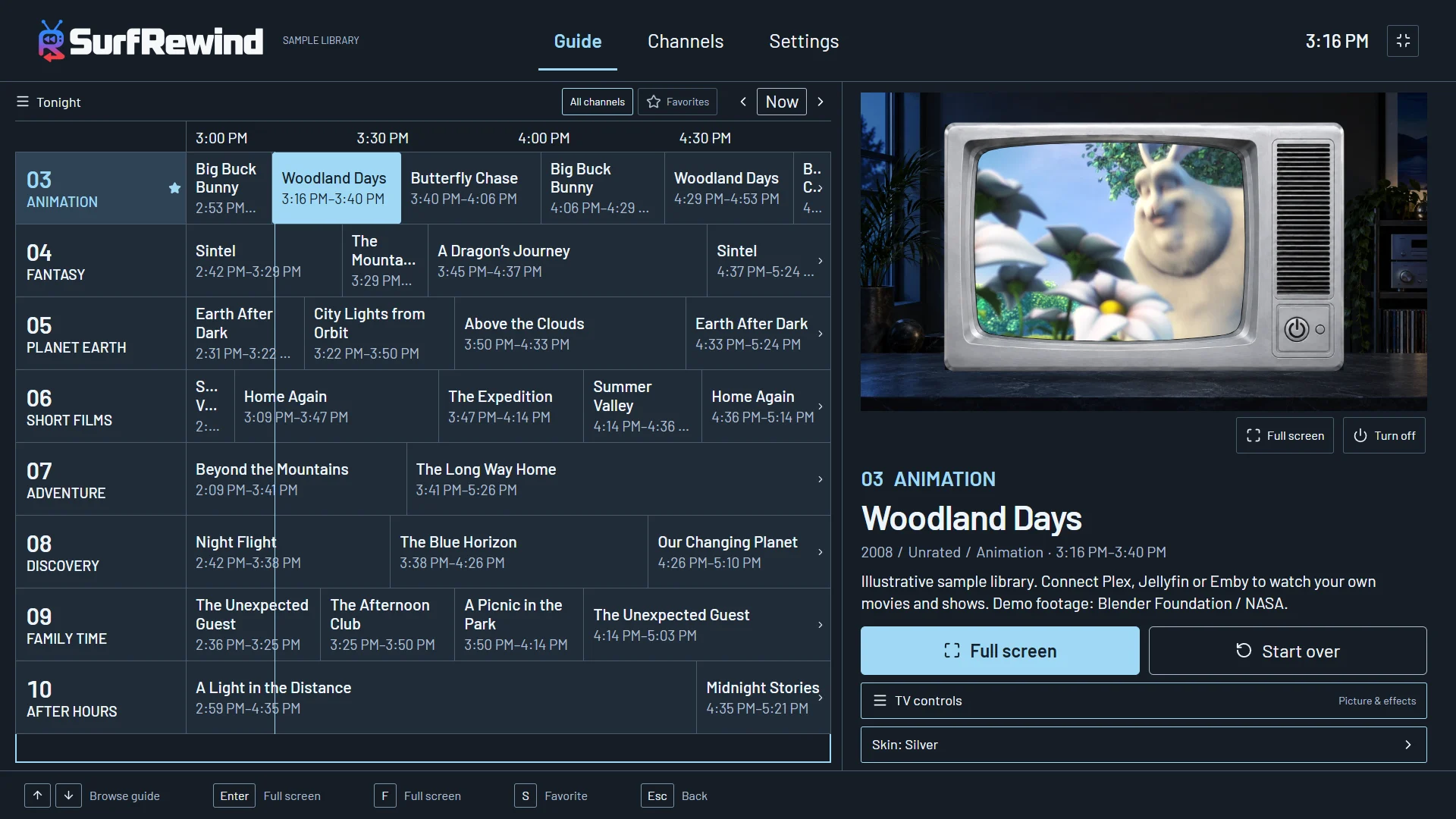
SurfRewind connects to your Emby server with your address and account and turns the libraries you choose into channels — with a guide, a remote that flips, and programs already in progress.
Three steps
- Choose Emby in SurfRewind.
- Enter the server address and your Emby username and password.
- Pick libraries and start your channels.
That is the whole setup. The schedule lives on the device; nothing about your library is sent to us.
Programmed like a station
Each channel can shuffle, play a series in order, or run by release year. PRIME TIME becomes a movie block at 8 pm; AFTER HOURS turns to horror and crime late at night; weekend mornings belong to cartoons. Start a three-hour marathon of anything on the guide. Add your own commercials between programs, if you have clips you’re allowed to use. More about channels.
Join in progress
Channels run on the clock, like broadcast television. Tune in at quarter past and the half-hour sitcom is fifteen minutes in; the guide shows what started when and what is next. Press Start over if you would rather see it from the top, or flip on — something else is always on. An info banner tells you what you landed on, and an up-next card appears in the last ten seconds of every program.
Metadata in, channels out
SurfRewind builds channels by itself from what Emby already stores: genres, years, parental ratings, series names and season and episode numbers — and you keep the kinds you like. It only makes channels your library can keep on the air for at least eight hours — a channel per long-running show, decade and genre mixes, KIDS, TEEN and AFTER DARK tiers, SHORTS and EPICS. Add a channel yourself with pickers that show how many titles each choice would give you, and the station names itself.
Your server stays in charge
Playback goes through Emby exactly as it does for Emby’s own apps: direct play when the TV can handle the file, your server’s transcoding when it can’t. Parental limits on your Emby account still apply to what SurfRewind can see, and SurfRewind adds its own PIN for mature channels on top. Nothing about your library is sent to us.
Free
The guide, every channel feature and four classic TV cabinets cost nothing. There is no SurfRewind account or subscription.
Questions
Do I need Emby Premiere?
Not for SurfRewind. It plays from your server like any client; your server’s own transcoding rules apply.
Does it use Emby’s Live TV?
No. The channels and guide are built by SurfRewind on the device. No tuner, M3U or XMLTV setup.
Is Emby support finished?
It is in beta and shares its code with Jellyfin. Collections are not indexed yet.
Can I mix Emby with Plex?
One provider is active at a time. Switching providers replaces the connection; libraries are not merged.
What does it cost?
Watching and every channel feature are free. Optional themes are one-time purchases.